Showing posts with label SMS Backup and Restore app. Show all posts
Showing posts with label SMS Backup and Restore app. Show all posts
Tuesday, 15 May 2012
How to Backup and Restore SMS in your Android phone:
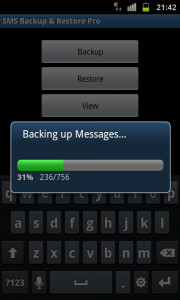 With this app you can simply take the back up of all your SMS messages. Here are the steps:
1. You need to download the SMS Backup and Restore app from the updated version of the android market place 3.3.12.
2. Once you download the application, it will began with installation process and follow the instructions to complete the installation
3. Once you are done with installation process, you need to open the same app from list of apps
4. When you open the App. it will take you to the option "Back Up" as soon as you select this option. all your SMS messages will be backed up.


5. To restore the backed up data, you need to open the app and tap on the option " Restore" then select the backup file to restore it

00:21 0
Subscribe to:
Posts (Atom)


